
How to create/use a reference shot for reliable camera calibration (RealityScan)

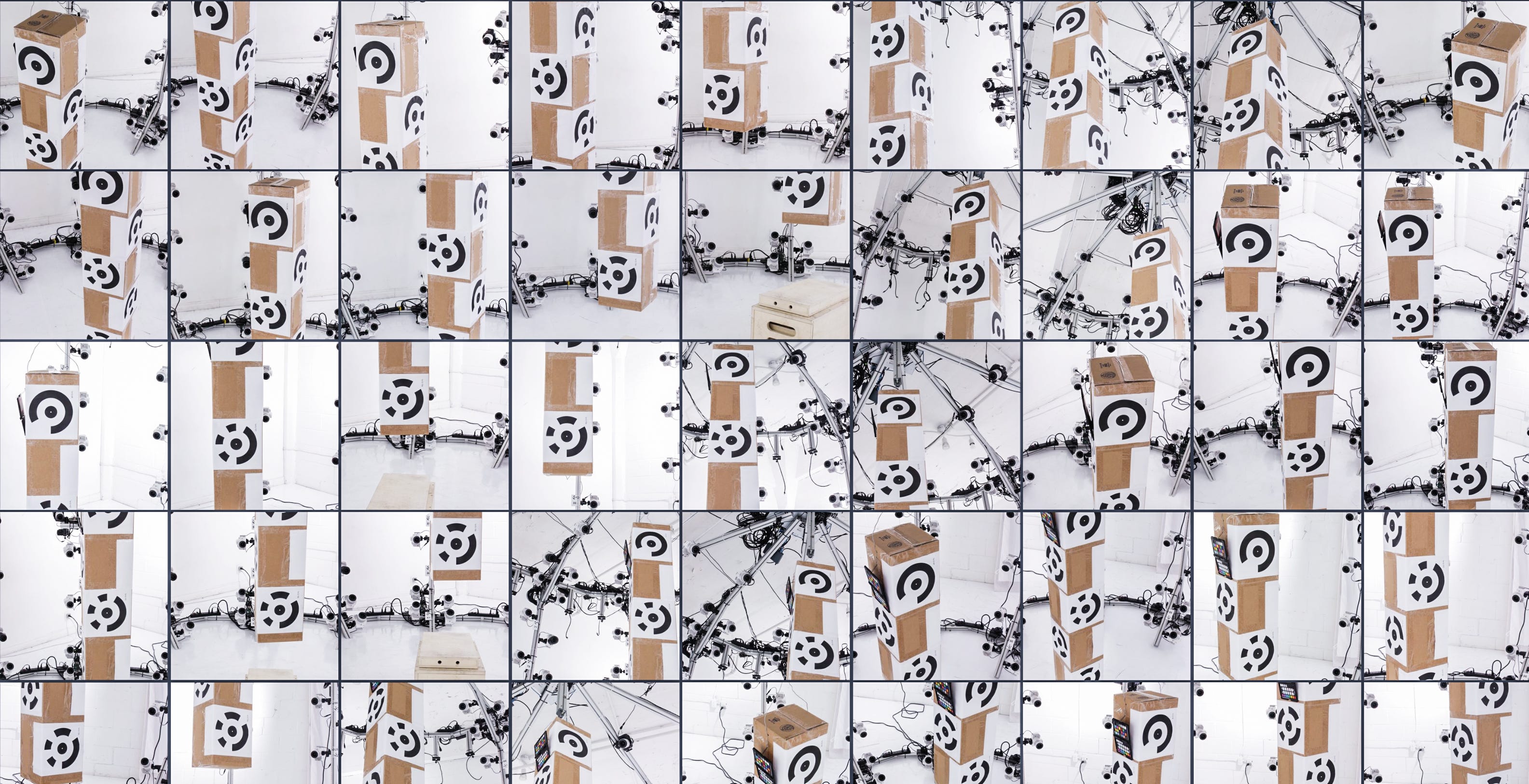
If you work with multi-camera arrays, a single reference shot can save entire datasets from drifting or failing to align. In this post, I’m sharing the calibration workflow we use at Xangle: something simple, but extremely reliable.
The idea is straightforward: before you start capturing, take one photo of a box covered with RealityScan markers, using all your cameras. RealityScan uses this to calculate precise camera positions, and then exports those positions as locked XMP files. You can reuse these XMPs for every dataset in the session, giving you identical calibration across all takes.
This is essential when your subject has limited features, when you need consistency from one capture to the next, or when you’re shooting 4D sequences. The whole process takes a minute, and it dramatically reduces alignment issues, reconstruction errors, and wasted time.
The tutorial walks step by step through capturing the reference, exporting XMPs, reusing them in new datasets, and avoiding common pitfalls (like what happens when someone accidentally bumps a camera…). If you’re working with volumetric capture or multi-camera rigs, this workflow will make your life much easier.
Full guide inside → https://doc.xanglecs.com/camera-registration
